

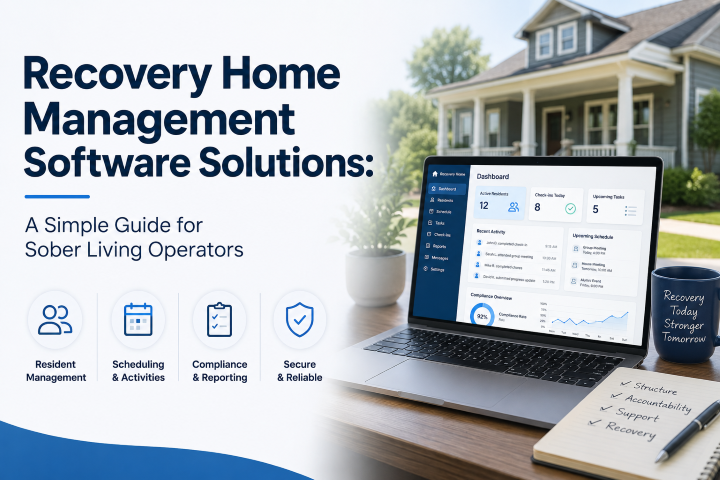
Running a recovery home is hard work. You are not just managing a building. You are managing people, schedules, rules, money, and paperwork, all at the same time. If you have ever felt buried under sticky notes, spreadsheets, and paper files, you are not alone. Many recovery home owners feel this way every single day.
This is where recovery home management software solutions come in. These tools are built to make your daily work easier. They help you track residents, manage rent, schedule drug tests, and stay ready for inspections, all from one place. In this guide, we will walk through what this software does, why it matters, and how to pick the right one for your home. We will use plain, easy words so anyone can follow along, whether you run one small home or a group of houses.
What Is Recovery Home Management Software?
Recovery home management software is a computer program made just for people who run sober living homes, halfway houses, and other recovery residences. Think of it as a digital helper that keeps all your important information in one safe place.
Instead of using paper folders, sticky notes, or ten different apps, you use one system. This system holds resident records, house rules, bed counts, payment history, and much more. It is built to understand the special needs of recovery homes, not general apartment buildings or hotels.
Regular property management software is made for landlords renting out apartments. It does not know about drug testing, house meetings, curfews, or recovery milestones. Recovery home management software solutions are different. They are made with your world in mind. That is the biggest reason so many recovery home owners are switching to these tools today.
Why Recovery Homes Need Special Software
You might be asking, “Why can’t I just use a normal spreadsheet or a basic property app?” That is a fair question. Many owners start out that way. But as your home grows, or as rules get stricter, plain spreadsheets start to break down.
Here are some reasons recovery homes need their own kind of software.
1. Recovery Homes Have Unique Daily Tasks
A normal rental home does not need drug testing logs. A recovery home does. A normal rental home does not track meeting attendance, curfews, or house chores. A recovery home does. These small daily tasks add up fast, and they need to be tracked carefully.
2. Compliance Rules Are Strict
Many states and groups, like NARR (National Alliance for Recovery Residences), have rules that recovery homes must follow. If you cannot show proof that you followed these rules, you could lose your certification or funding. Good software keeps this proof ready at all times, so you are never caught off guard during an inspection.
3. Safety and Privacy Matter More
Recovery homes often handle sensitive health information. This means your software needs strong privacy protection, often called HIPAA compliance. A general spreadsheet on your laptop does not offer this kind of protection. Purpose-built software does.
4. Staff Turnover Is Common
Many recovery homes have house managers who come and go. When staff changes happen, you do not want important knowledge to leave with them. Good software keeps everything written down and organized, so a new house manager can learn the system quickly.
Core Features to Look For in Recovery Home Management Software Solutions
Not all software is the same. Some tools are packed with features you will never use. Others are missing things you need every day. Here is a simple breakdown of the features that matter most.
Resident Management
This is the heart of any recovery home software. It should let you:
- Add new residents quickly during intake
- Store emergency contacts and important history
- Track move-in and move-out dates
- Keep notes on progress, incidents, and goals
- See a resident’s full history in one screen
Good resident management saves you from digging through old paper files every time you need one small detail.
Bed and Room Tracking
Knowing which beds are open, which are full, and which are coming open soon is one of the most important daily tasks for any recovery home. The right software gives you a live view of your beds, sometimes called a “bed board.” You can see your whole home, or all your homes, at a glance. This helps you plan intakes and avoid double-booking a bed by mistake.
Rent and Billing Tools
Money matters. Recovery homes often deal with different payment sources, such as self-pay, family payments, scholarships, or funding from outside programs. Billing tools inside recovery home management software solutions help you:
- Track who has paid and who has not
- Send automatic reminders for late rent
- Create simple reports for your accountant
- Accept online payments, so residents can pay from their phone
This cuts down on awkward money conversations and keeps your books clean.
Drug and Alcohol Testing Logs
Testing is a normal part of life in most recovery homes. Instead of writing results on paper, software lets you log test dates, results, and testing types in seconds. This creates a clear record you can pull up anytime, whether for your own records or for a court, probation officer, or funding source.
Compliance and Reporting Tools
As mentioned earlier, compliance is a big deal in this industry. The best software solutions include ready-made reports that match state or NARR requirements. Instead of building these reports by hand every time, you simply click a button. This alone can save hours of stress before an inspection.
Communication Tools
Some platforms include built-in messaging, so staff can talk to residents, or residents can talk to house managers, without giving out personal phone numbers. Group chat features can also help share house updates, meeting reminders, or schedule changes quickly.
Mobile Access
Recovery home staff are rarely sitting at a desk all day. Good software works well on a phone or tablet, not just a computer. This lets house managers check people in, log notes, or view the bed board while walking through the house.
Staff Roles and Permissions
Not everyone on your team should see everything. Good software lets you set different access levels. A front desk staff member might only see check-in records, while a director can see billing and compliance reports. This keeps sensitive information safe and reduces mistakes.
How Recovery Home Management Software Solutions Save Time
Time is one of the biggest reasons owners switch to software. Let’s look at a simple, real-world type example.
Imagine a house manager named Sarah. Before using software, Sarah spent almost two hours every morning going through paper files, checking who paid rent, calling residents about missed drug tests, and writing notes by hand for the weekly report. That is over ten hours a week just on paperwork.
After switching to recovery home management software solutions, Sarah’s morning routine looks very different. She opens one dashboard. It shows her who paid rent, who missed a drug test, and which beds are open. She can create her weekly report with one click. What used to take two hours now takes about twenty minutes.
Multiply this across many house managers, and you can see why this software has become so popular. It is not just about saving time. It is about giving staff more time to actually help residents, instead of drowning in paperwork.
How This Software Supports Better Resident Outcomes
At the end of the day, the real goal of a recovery home is helping people heal and build a stable life. Software cannot do that job by itself. But it can support the people who do that job every day.
Here is how:
- Fewer mistakes. When information is organized, staff are less likely to miss an important detail about a resident’s needs or history.
- Faster response times. If a resident misses a meeting or a curfew, staff can see this right away instead of finding out days later.
- More consistent rules. When house rules and consequences are tracked clearly, residents see that rules are applied fairly to everyone.
- Better communication. Clear records mean less confusion between shifts, staff members, and even outside case managers or probation officers.
- More time for real support. Every hour saved on paperwork is an hour staff can spend actually talking with and supporting residents.
In short, this software takes the busywork off human hands so people can focus on people.
Common Types of Recovery Home Management Software
There are several types of platforms on the market today. Understanding the differences can help you choose the right fit.
All-in-One Platforms
These tools try to cover everything: resident records, billing, compliance, drug testing, and communication, all in one system. This is a popular choice for owners who want one login and one place for everything.
Specialized Add-On Tools
Some operators use a mix of tools instead of one big platform. For example, they might use one tool just for billing and another just for compliance tracking. This can work, but it often means more logins, more training, and a higher chance that information gets scattered.
Basic Spreadsheet or Paper Systems
Some smaller homes still use spreadsheets or paper. This can work for a very small operation with just a few residents. But as soon as a home grows, or state rules get stricter, this method usually becomes too risky and too slow.
General Property Management Software
Some owners try to use tools built for regular landlords. These tools handle rent and leases well, but they are missing the recovery-specific features, like drug testing logs or house rule tracking. This often leaves gaps that owners end up filling with extra spreadsheets anyway.
Given all of this, most experts suggest that recovery homes are better served by software built specifically for the recovery housing industry, rather than general tools stretched to fit.
How Much Does Recovery Home Management Software Cost?
Pricing can vary quite a bit depending on the size of your home and the features you need. Based on typical market pricing, here is a general idea:
- Budget options often start around 99 dollars per month per home, with basic features like resident tracking and simple billing.
- Mid-range platforms usually run between about 139 and 279 dollars per month, adding more automation and reporting tools.
- Full-featured platforms with advanced tools, like AI-powered insights or deep compliance reporting, can run between about 199 and 399 dollars per month.
Keep in mind that price is not the only cost to think about. You should also consider training time for your staff and how long it takes to move your old records into the new system. A slightly more expensive tool that saves your staff hours every week may be worth more than a cheaper tool that is hard to use.
Questions to Ask Before Choosing Software
Picking the right tool is a big decision. Here are simple questions to ask any software company before you sign up.
- Is this software built specifically for recovery homes, or is it a general property tool?
- Does it help with NARR or state compliance reporting?
- Is resident data protected and private, in line with HIPAA rules?
- Can my staff use it easily on a phone, not just a computer?
- How long does it take to set up and move over my current records?
- What kind of customer support is included if something breaks?
- Can the system grow with me if I open more homes later?
- Is there a free trial or live demo I can try first?
Most trustworthy companies will happily answer all of these questions and offer a demo before you commit.
Steps to Switch to New Recovery Home Software
If you decide it is time to move away from paper or spreadsheets, here is a simple step-by-step plan to make the switch smoothly.
Step 1: List Your Must-Have Features
Before you look at any software, write down what you truly need. Do you need drug testing logs? Online rent payments? Multi-house tracking? Knowing this first will save you time comparing options later.
Step 2: Try a Few Demos
Most companies offer free demos. Try at least two or three so you can compare how each one feels. Pay attention to how easy it is to move around the screens, not just what features are listed.
Step 3: Ask Your Staff for Input
Your house managers and front-line staff will use this software every day. Let them try the demo too. Their feedback matters just as much as yours.
Step 4: Plan Your Data Move
Moving old resident records, past rent history, and other data into a new system takes planning. Many companies offer help with this step, so ask about it early.
Step 5: Train Your Team
Set aside real time for training. Even the best software will not help much if your staff does not know how to use it. Many platforms include training videos or live sessions, so use them.
Step 6: Start With One House First
If you run more than one home, consider starting with just one location first. This lets you work out any bumps before rolling it out everywhere.
Step 7: Review After 30 to 60 Days
After using the new system for a month or two, sit down with your team and talk about what is working and what is not. Most software companies are happy to help you adjust settings based on this feedback.
Common Mistakes to Avoid
Even good tools can be used the wrong way. Here are a few common mistakes to watch out for.
- Choosing based on price alone: The cheapest tool is not always the best value if it is missing key features you need.
- Skipping staff training: A powerful tool is only as good as the people using it.
- Not asking about data privacy: Always confirm the company follows proper privacy and security standards.
- Ignoring mobile access: If your staff work on the go, a desktop-only tool will slow them down.
- Trying to do everything at once: Rolling out too many new features at the same time can overwhelm your team. Start simple, then grow.
The Future of Recovery Home Management Software
The recovery housing industry keeps growing, and so does the software built for it. More platforms are now adding smart features, like automatic alerts when a resident misses a check-in, or simple charts that show how well a home is doing over time. Mobile apps for residents are also becoming more common, letting people check schedules, pay rent, or join group chats right from their phone.
As rules around compliance continue to change, software companies are also working to keep their reporting tools updated automatically. This means owners spend less time worrying about whether their paperwork matches the newest state or NARR standards.
Final Thoughts
Running a recovery home is one of the most meaningful jobs there is. But meaningful work should not mean drowning in paperwork. Recovery home management software solutions exist to take the heavy lifting off your shoulders, so you and your staff can spend more time doing what really matters: helping people rebuild their lives.
Whether you run one small home or a growing network of houses, the right software can help you save time, reduce mistakes, stay compliant, and give your residents a more organized, supportive place to heal. Take your time, ask good questions, try a few demos, and choose the tool that truly fits how your team works. Your future self, and your residents, will thank you.
