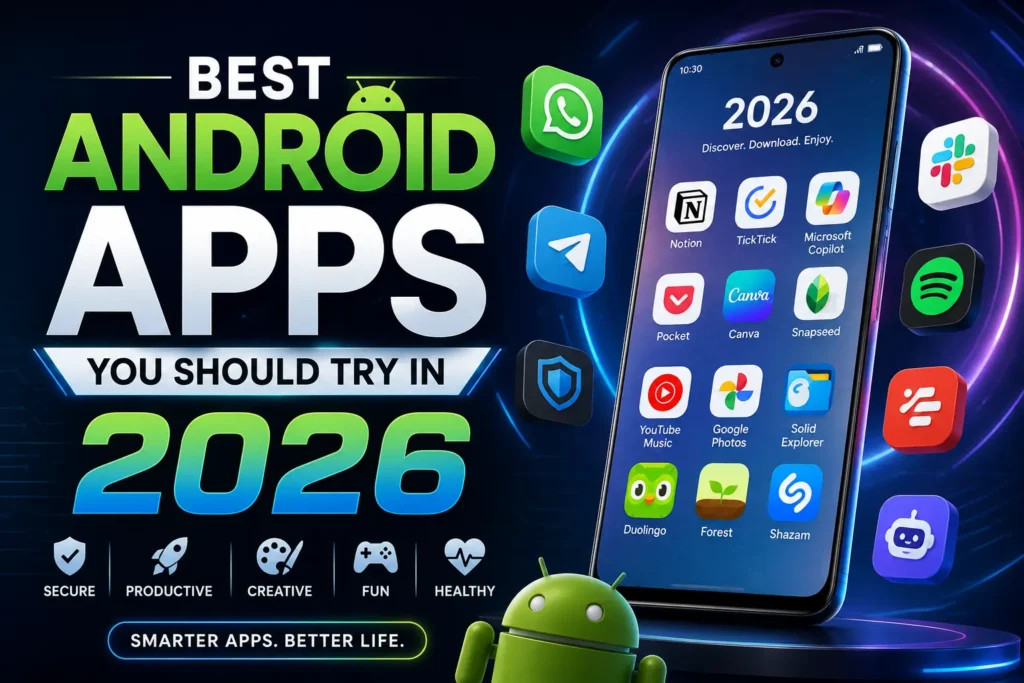
Your phone is only as good as what you put on it. With more than 3.5 million apps competing for space on the Google Play Store, finding the best Android apps in 2026 is harder than it should be — but it also matters more than ever. This year’s Android ecosystem has shifted heavily toward on-device AI, deeper system integration, and privacy-first design, which means the apps worth keeping look very different from the ones that topped the charts a few years ago.
This guide rounds up the top Android apps 2026 has to offer, organized by category so you can jump straight to what you need: AI assistants, productivity, photo and video editing, security, health, communication, and entertainment. Every app below earns its spot for a simple reason — it solves a real, everyday problem without draining your battery, hoarding your data, or burying you in notifications.
Let’s get into it.
Why 2026 Is a Turning Point for Android Apps
A few shifts define this year’s app landscape:
- AI is no longer a bolt-on feature: Google Gemini has replaced Google Assistant as the default on most Android 15 devices, and third-party AI apps now compete on how well they integrate with your calendar, inbox, and files — not just how smart their chatbot sounds.
- Privacy-first apps are mainstream, not niche: Encrypted messaging, password managers, and note apps that don’t sell your data have moved from “nice to have” to default choices for millions of users.
- Customization is back in style: Launchers, widget packs, and automation tools like Tasker are seeing a resurgence as people personalize their home screens again.
- Subscription fatigue is real: The apps gaining the most traction in 2026 are the ones with genuinely useful free tiers, not just free trials designed to convert you.
With that context, here’s the full breakdown of the best Android apps you should try in 2026.
1. Best AI Apps for Android in 2026
AI assistants are the biggest category shakeup this year. Each app below has carved out a distinct niche rather than trying to be everything at once.
Google Gemini — Best Overall AI Assistant
Gemini ships as the default assistant on most 2026 Android devices, and its advantage is deep system integration rather than raw model power alone. It handles conversational queries, summarizes web pages, fills out forms, and controls smart home devices, and it can generate custom home screen widgets from a plain-English description. It also pulls from Gmail, integrates with Google Docs, and answers questions about your Google Calendar events, something no competing assistant matches on Android. The free tier covers most day-to-day use; Google AI Plus and Pro plans unlock the more capable Gemini models and a larger context window.
Best for: Android users already living inside the Google ecosystem who want AI woven directly into the OS.
ChatGPT — Best for Versatile, General-Purpose AI
OpenAI’s app remains the most downloaded AI assistant on Google Play, and the 2026 version supports voice conversations, image analysis, file uploads, and community-built custom GPTs. It’s the app most people reach for when they want a single tool that can write, brainstorm, debug code, and answer questions across contexts.
Best for: Users who want one flexible AI app rather than several specialized ones.
Claude — Best for Writing, Research, and Long Documents
For professional writing, research, and analysis work, Claude is one of the strongest AI assistants available on Android in 2026, particularly for long-form writing and document analysis. If you regularly work with lengthy reports, contracts, or drafts on your phone, Claude’s ability to hold context across long documents makes it a better fit than chat-first competitors.
Best for: Professionals handling long-form writing, editing, and document review on the go.
Perplexity — Best for Sourced, Fact-Checked Answers
Perplexity’s edge is verifiability. It gives you sourced answers you can verify rather than a confident paragraph with no citations, which makes it a better research companion than a general chatbot when accuracy matters.
Best for: Students, researchers, and anyone who needs receipts on an AI-generated answer.
Grammarly Keyboard and CapCut — Everyday AI Utilities
Not every useful AI app is a chatbot. Grammarly Keyboard fixes grammar everywhere you type, and CapCut adds AI captions and background removal for quick video edits — both quietly useful without ever opening a “chat” window.
Tip: Rather than picking one AI app and sticking with it, most power users in 2026 run a small stack — Claude for long-form reasoning, Gemini for Google integration, plus a transcription or writing tool for specific tasks.
2. Best Android Productivity Apps 2026
Productivity apps this year lean heavily on automation, but the winners are still the ones that stay usable when you’re tired or in a hurry.
Notion — Best All-in-One Workspace
Notion continues to dominate as the most versatile productivity app on Android, combining note-taking, project management, and database tools in one place, now enhanced with built-in AI that helps you plan, summarize, and organize without leaving the app.
Best for: Teams and individuals who want one app to replace five.
Todoist — Best for Daily Task Management
Todoist is the cleanest “tell me what matters today” task app, and it stays usable even when you miss a week. It’s built for recurring tasks, lightweight project lists, and gentle reminders rather than complex dependency charts.
Best for: Anyone who wants a task list that doesn’t require a tutorial.
TickTick — Best for Combining Tasks, Calendar, and Habits
TickTick blends task lists, a calendar view, habit tracking, a Pomodoro timer, and offline sync into a single app — a genuinely rare combination that explains why it keeps surviving regular app cleanups among reviewers who’ve tried nearly every competitor.
Best for: Users who want tasks, habits, and time-blocking in one place instead of three separate apps.
Google Keep — Best for Quick, No-Fuss Notes
Google Keep is what to recommend when someone wants “notes,” not “a new organizational system.” It’s fast, searchable, and gets out of your way, making it ideal for grocery lists, quick ideas, and short notes you need to find again later.
Best for: People who want frictionless note capture, not a productivity system.
Files by Google — Best Free File Manager
A genuinely useful free tier makes Files by Google one of the easiest recommendations on this list — it cleans up junk files, shares files offline without data, and keeps your storage organized without upselling you on a premium tier.
3. Best Photo and Video Editing Apps for Android
Adobe Lightroom Mobile — Best for Serious Photo Editing
Lightroom remains one of the most powerful photo editors on Android, giving users control over color grading, RAW editing, and advanced adjustments that go far beyond basic filters. It’s especially valuable if you want consistency across a large batch of photos, such as when posting frequently to social media.
Best for: Photographers and content creators who need professional-grade editing tools on mobile.
Snapseed — Best Free Photo Editor
Snapseed remains the go-to free option for users who want strong editing tools — selective adjustments, healing, and perspective correction — without a subscription.
Best for: Casual editors who want pro-style tools without paying.
CapCut — Best for Quick, AI-Assisted Video Edits
CapCut’s AI captions and background removal make it the fastest way to turn raw phone footage into a polished short-form video, which is why it has become a staple for anyone posting to TikTok, Reels, or YouTube Shorts.
Best for: Short-form video creators who need speed over deep manual control.
Canva — Best for Design and Graphics on Mobile
Canva has evolved into a genuine mobile design studio, letting users build social graphics, posters, and presentation slides directly from their phone. Its AI tools now let users describe what they want and get instant template and illustration suggestions, which has made it especially popular with small businesses and marketers who don’t have time for a desktop design workflow.
Best for: Marketers, small business owners, and anyone creating social content on the go.
4. Best Security and Privacy Apps for Android
Privacy tools are no longer a niche category — they’re some of the most consistently recommended apps in every 2026 roundup.
Bitwarden — Best Password Manager
Bitwarden’s genuinely usable free tier makes it one of the easiest security upgrades any Android user can make, syncing encrypted passwords across devices without a paywall on core features.
Best for: Anyone still reusing passwords across accounts (which, statistically, is most people).
Signal — Best Encrypted Messaging App
Signal continues to set the standard for private messaging on Android, with end-to-end encryption applied by default to every message, call, and file you send — no toggle required.
Best for: Anyone who wants messaging privacy without changing how they already text.
Notes by [Privacy-Focused Developer] Apps — Best Private Note-Taking
A growing wave of privacy-respecting note apps has emerged in 2026, offering fast, secure note capture with cloud backup and rich text support, without the bloated feature creep of larger competitors — proof that “simple and private” is now a winning combination rather than a compromise.
Best for: Users who want their notes backed up without being mined for data.
5. Best Communication and Utility Apps for Android
Google Maps — Best Navigation App
Still the most reliable navigation app on Android, with real-time traffic data, offline maps, and integration across the Google ecosystem that competitors haven’t matched.
Best for: Daily commuters and travelers who need dependable, offline-capable navigation.
Firefox — Best Privacy-Focused Browser
Firefox remains a strong free alternative to default browsers, with built-in tracking protection that doesn’t require digging through settings menus to activate.
Best for: Users who want a fast browser that doesn’t quietly track them.
Nova Launcher — Best for Home Screen Customization
Nova Launcher replaces your default home screen with one you can actually customize — new wallpapers, subtle animations, resized widgets, and icon layouts that make your Android phone feel genuinely yours rather than a stock template.
Best for: Anyone who wants their phone to look and feel personal, not default.
Tasker — Best for Automation
Tasker lets advanced users automate nearly anything on their phone, from triggering apps based on location to adjusting settings automatically when you connect to a specific Wi-Fi network. Combined with AI apps, Tasker can now trigger AI apps based on rules you define — for instance, starting a recording app automatically the moment you join a meeting room’s Wi-Fi network.
Best for: Power users who want their phone to anticipate routines automatically.
6. Best Entertainment and Learning Apps for Android
Pocket Casts — Best Podcast App
Pocket Casts remains the top pick for serious Android podcast listeners, with smart playlists, variable speed playback, and syncing across devices that make it easy to pick up exactly where you left off.
Best for: Regular podcast listeners who want more control than default podcast apps offer.
Nibble — Best for Bite-Sized Learning
Nibble delivers short, digestible lessons on history, art, science, and more, aimed at turning a few spare minutes of scrolling into something genuinely useful instead of passive consumption.
Best for: Curious adults who want to learn something new during short breaks.
Duolingo — Best for Language Learning
Duolingo’s gamified approach to language learning remains one of the most effective ways to build a daily study habit, with streaks, leaderboards, and bite-sized lessons that make consistency easier than any textbook.
Best for: Beginners building a language-learning habit from scratch.
7. Best Health and Wellness Apps for Android
Google Fit — Best for Basic Activity Tracking
Google Fit remains a solid, free option for tracking steps, workouts, and heart points, with integration across most fitness wearables and Android devices.
Best for: Users who want simple fitness tracking without a subscription.
Headspace or Calm — Best for Meditation and Sleep
Both apps continue to lead the meditation and sleep category, offering guided sessions, breathing exercises, and sleep stories that make mindfulness accessible even for total beginners.
Best for: Anyone managing stress or working on sleep habits.
8. Best Shopping and Money-Saving Apps for Android
Comparify — Best for Price Comparison
Comparify has built a following in 2026 by answering the one question every online shopper asks before checking out: am I actually getting a good deal? It scans prices across retailers so you can confirm a “sale” is genuinely a discount before you buy.
Best for: Frequent online shoppers who want to avoid overpaying on everyday purchases.
Google Pay — Best for Contactless Payments and Budgeting
Google Pay continues to be the most convenient way to pay on Android, combining tap-to-pay, peer-to-peer transfers, and spending summaries in one app that’s already built into most devices.
Best for: Anyone who wants a single app for payments and light budget tracking.
9. Best Apps for Students on Android
Google Drive and Docs — Best for Collaborative Schoolwork
Google’s productivity suite remains the default choice for students, offering real-time collaboration, offline access, and generous free storage that’s hard to beat for group projects and note-sharing.
Photomath — Best for Math Homework Help
Photomath lets students scan a math problem with their camera and get a step-by-step walkthrough of the solution, which makes it more useful for actually learning the material than simply copying an answer.
Best for: Students who want to understand the “why” behind a math problem, not just the answer.
Quizlet — Best for Flashcard-Based Studying
Quizlet remains a staple for exam prep, letting students build and share flashcard sets, then quiz themselves with games and practice tests that adapt to what they’ve already mastered.
Best for: Students prepping for exams who want an active recall study method.
What Changed Since Last Year: Android App Trends Worth Knowing
If you skipped last year’s app list, here’s what’s genuinely different in 2026:
- AI assistants replaced Google Assistant as the default on most new devices, which means the “assistant” on your phone is now conversational and multimodal by default, not a simple voice-command tool.
- Screen understanding became a real feature, not a gimmick — apps like Gemini can now look at what’s on your screen and answer questions about it directly, cutting out a lot of manual copy-pasting.
- On-device AI processing improved battery efficiency, meaning AI-heavy apps in 2026 drain far less battery than their 2023–2024 equivalents did for similar tasks.
- Default assistant switching became mainstream. Android now makes it simple to swap your system-level assistant for ChatGPT, Claude, or Perplexity instead of Gemini, a level of choice iOS still doesn’t offer.
- Free tiers got more generous in some categories (task management, note-taking, password management) while AI apps increasingly gate their most powerful models behind paid tiers.
Understanding these shifts helps explain why several apps on this list — particularly the AI assistants — look so different from what topped Android app charts just two or three years ago.
How to Choose the Right Android Apps for You
With so many strong options, the right approach isn’t to install everything on this list — it’s to match apps to your actual habits. A few questions worth asking before you download anything new:
- Does it replace an app you already use, or add a new capability? Redundant apps just clutter your home screen and drain your battery.
- Does the free tier actually work, or is it a trial in disguise? Files by Google, Bitwarden, Signal, Google Keep, Google Calendar, Firefox, Snapseed, and Google Maps all have genuinely usable free tiers, which is why they show up repeatedly across best-of lists.
- Will you still open it in a month? The apps that earn a permanent spot on your phone are the ones you reach for when you’re tired, in a hurry, or annoyed — not the ones that looked impressive during a five-minute demo.
- Does it respect your data? Privacy-first apps like Signal and Bitwarden are worth prioritizing even if a flashier alternative exists.
Final Thoughts on the Best Android Apps in 2026
The best Android apps in 2026 aren’t defined by the longest feature list or the flashiest AI demo — they’re defined by how well they fit into a routine you’ll actually keep. Whether you’re rebuilding your home screen with Nova Launcher, locking down your accounts with Bitwarden, or adding an AI assistant like Gemini or Claude to your daily workflow, the goal is the same: fewer apps that do more, and none that get in your way.
Start small. Pick two or three apps from this list that solve a problem you actually have right now, give them a real trial period, and build from there. That’s how you end up with a home screen that works for you instead of against you.
Frequently Asked Questions
What is the best all-around AI app for Android in 2026?
Google Gemini is the strongest all-around pick because of its deep integration with Android and Google services, though ChatGPT and Claude are excellent alternatives depending on whether you prioritize versatility or long-form writing and analysis.
What is the best free password manager for Android?
Bitwarden remains the top recommendation thanks to its genuinely usable free tier and cross-device sync.
Which Android apps are best for productivity in 2026?
Notion, Todoist, TickTick, and Google Keep cover most productivity needs, from full workspace management to simple daily task lists.
Are these apps free?
Most apps on this list offer a strong free tier. Premium plans typically unlock advanced AI features, larger storage, or ad-free experiences, but core functionality remains accessible without paying.