Meetings eat up more of the workday than most professionals would like to admit. Between scheduling, note-taking, chasing action items, and trying to actually participate in the conversation, it’s easy to walk away from a call remembering less than half of what was discussed. That’s exactly the gap AI meeting assistants were built to close.
In 2026, the category has matured well beyond simple transcription. Today’s AI meeting assistant tools don’t just record what was said — they summarize decisions, assign action items, sync notes to your CRM, and in some cases even join the conversation as an active participant. Whether you’re a solo consultant who wants clean notes without a visible bot on the call, or a sales team that needs conversation intelligence flowing straight into Salesforce, there’s a tool built for your workflow.
This guide breaks down what an AI meeting assistant actually does, the features worth prioritizing, and a detailed look at the best AI meeting assistants available right now — so you can pick the one that fits how your team actually works.
What Is an AI Meeting Assistant?
An AI meeting assistant is software that automatically captures, transcribes, and summarizes meetings using speech recognition and large language models. Instead of manually typing notes or trying to remember who committed to what, the assistant handles the administrative side of the meeting so participants can stay focused on the conversation.
Most AI meeting assistant tools follow a similar pipeline:
- Capture — audio is recorded either through a bot that joins the call or through local device audio capture.
- Transcribe — speech-to-text models convert the conversation into a searchable transcript.
- Summarize — a language model condenses the transcript into key points, decisions, and action items.
- Distribute — notes are pushed to email, Slack, a CRM, or a shared workspace automatically.
Some tools stop there. Others, often described as “agentic” meeting platforms, go a step further — drafting follow-up documents, filing tickets, or updating deal records in real time while the meeting is still happening.
Why Businesses Are Adopting AI Meeting Notetakers in 2026
The shift toward AI-powered meeting tools isn’t just about convenience. A few forces are driving broader adoption this year:
- Hybrid and remote work is still the norm: Distributed teams rely on written records more than ever, since not everyone can attend every call live.
- Meeting fatigue is real: Professionals increasingly want to be present in conversations rather than splitting attention between talking and typing.
- Sales and customer success teams need searchable history: Conversation intelligence has become a competitive advantage for revenue teams that want to coach reps and track deal sentiment.
- Knowledge gets lost between meetings: Without a system to capture decisions, the same discussions end up happening twice.
- AI transcription accuracy has improved dramatically: Modern speech-to-text models now handle accents, cross-talk, and technical vocabulary far better than the tools of just a few years ago.
Key Features to Look for in an AI Meeting Assistant
Not every AI note taker is built the same way, and the “best” one depends heavily on your use case. Here are the features that matter most when evaluating options.
Transcription Accuracy and Language Support
The foundation of any meeting assistant is transcription quality. Look for tools that handle overlapping speech, industry jargon, and multiple accents well. If your team operates internationally, check how many languages the tool supports — this varies significantly, with some platforms supporting dozens of languages and others limited to a handful.
Bot-Based vs. Bot-Free Capture
This is one of the biggest dividing lines in the category. Bot-based tools join your call as a visible participant (you’ll often see a name like “X Notetaker” in the attendee list), while bot-free tools capture system audio directly from your device without announcing themselves. Bot-free options tend to be preferred for client-facing calls, therapy or coaching sessions, and any conversation where a visible recording bot might change how openly people speak.
AI-Generated Summaries and Action Items
A raw transcript isn’t very useful on its own — the real value comes from AI-generated summaries that surface decisions, owners, and deadlines. The best meeting summarizer tools organize this information into scannable sections rather than a wall of text.
CRM and Workflow Integrations
For sales and customer-facing teams, integration depth matters enormously. Tools that automatically log calls, update deal stages, and sync notes to platforms like Salesforce or HubSpot save reps from manual data entry after every call.
Searchable Meeting Archives
As your library of recorded meetings grows, the ability to search across months or years of conversations becomes a major differentiator. Some platforms build this into a broader knowledge graph that connects meetings with emails and messages.
Real-Time Features
A newer wave of tools offers live coaching, real-time captions, or in-the-moment suggestions during the call itself, rather than only generating a summary afterward.
Privacy and Data Handling
Because meeting content often includes sensitive business information, it’s worth understanding where audio and transcripts are processed — locally on your device, in the vendor’s cloud, or with an option to opt out of having your data used for AI training.
Bot-Based vs. Bot-Free: Which Type of AI Meeting Assistant Do You Need?
Before diving into individual tools, it helps to understand this core architectural split:
Bot-based assistants dial into your meeting as a separate participant. They tend to offer richer team collaboration features, shared transcript libraries, and deeper integrations, but the visible bot can create friction — especially on sales or client calls where participants may feel uneasy about an obvious recording presence.
Bot-free assistants run locally on your desktop and capture system audio without joining as a participant. They’re popular with consultants, executives, and anyone whose conversations depend on candor, since there’s no visible indicator that the call is being recorded. The trade-off is usually platform limitations (some are Mac-only) and fewer built-in team collaboration features.
Neither approach is universally “better” — the right choice depends on whether your meetings are internal team syncs (where a bot is rarely a problem) or external, high-trust conversations (where invisibility matters more).
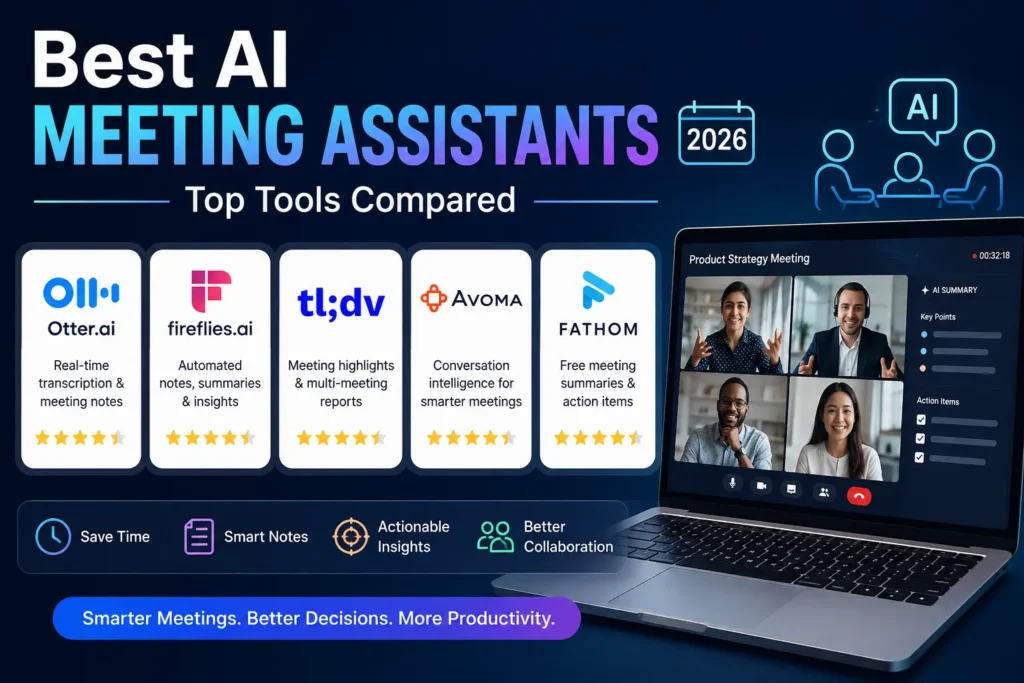
The Best AI Meeting Assistants in 2026
Here’s a detailed look at the leading AI meeting assistant tools on the market, organized by what each one does best.
1. Otter.ai — Best for Searchable Team Archives
Otter.ai was one of the earliest players in AI transcription and remains a strong choice for teams that want live, collaborative note-taking. It offers real-time transcription with the ability to highlight key moments and add comments during the meeting itself, plus a searchable archive that makes it easy to find what was said in a call from months ago.
Best for: Teams that want shared, searchable meeting records and live collaborative notes.
Watch out for: The Otter bot is visible in the participant list, which can be a friction point on external or client calls.
2. Fireflies.ai — Best for Sales Teams and CRM Automation
Fireflies pairs solid transcription with deep conversation intelligence — sentiment analysis, speaker statistics, and automatic deal insights that plug directly into CRMs like Salesforce and HubSpot. It also supports an unusually broad range of languages, making it a strong pick for global sales organizations.
Best for: Revenue teams that need conversation data automatically logged into their CRM.
Watch out for: Like Otter, Fireflies joins calls as a visible bot.
3. Fathom — Best Free Plan
Fathom has built a reputation around one of the most generous free tiers in the category: unlimited call recording and transcription at no cost, with AI summaries available on a capped basis for free users and unlocked further on paid plans. Independent review sites frequently cite it as having some of the fastest post-call processing times and strong user satisfaction scores.
Best for: Individuals and small teams who want to try AI meeting notes without committing to a paid plan.
Watch out for: Its searchable archive and team features are less robust than Otter’s, and it’s positioned as a lighter-weight, budget-friendly alternative to full revenue-intelligence platforms like Gong.
4. Granola — Best Bot-Free Notetaker
Granola takes a different approach entirely: it’s a desktop app for Mac and Windows that captures system audio locally without ever joining your meeting as a visible participant. Instead of just summarizing after the fact, Granola blends your own typed notes with the AI-generated summary, producing an editable document rather than a static recording with a transcript attached.
Best for: Consultants, executives, and anyone whose meetings depend on candid conversation without a visible recording indicator.
Watch out for: No live captions during the call — the polished note appears only after the meeting ends.
5. Read AI — Best for Cross-Channel Knowledge Graphs
Read AI extends beyond the meeting itself, connecting call transcripts with emails, Slack messages, and shared documents into a single searchable knowledge base. It also analyzes engagement signals during the call — flagging when participants seem disengaged — and provides speaker coaching on pacing and clarity.
Best for: Teams that want meetings connected to their broader communication history, not treated as isolated events.
Watch out for: The added analytics layer (sentiment scoring, engagement tracking) may feel like more than some users need.
6. Avoma — Best for End-to-End Meeting Lifecycle Management
Avoma goes further upstream than most competitors, helping with agenda preparation and scheduling before the meeting even starts, in addition to recording, transcription, and AI note generation afterward. Its notes are organized into structured categories — business needs, pain points, competitors — which is especially useful for sales discovery calls.
Best for: Teams that want a single tool covering the entire meeting lifecycle, not just the recording and summary step.
7. Best for Lightweight Video Highlights
Focuses on making meetings easy to review through timestamped highlights and clips, letting teams share short video snippets instead of full recordings. It’s a popular choice for product and engineering teams that want to document decisions without asking colleagues to rewatch an entire call.
Best for: Teams that prefer sharing short clips and highlights over long transcripts.
8. Zoom AI Companion — Best for Platform-Native Simplicity
For teams already living inside Zoom, the built-in AI Companion offers meeting summaries and smart recaps without requiring a third-party bot or a separate subscription decision. It won’t match dedicated tools on cross-platform search or CRM depth, but it removes a layer of setup for Zoom-first organizations.
Best for: Organizations standardized on Zoom that want native AI notes without adding another vendor.
9. Fellow — Best for Meeting Governance
Fellow leans into meeting culture rather than pure transcription — collaborative agenda templates, action item tracking, and structured meeting notes designed to make recurring meetings more disciplined over time.
Best for: Teams trying to fix bad meeting habits, not just record more of them.
10. Krisp — Best for Audio Quality Plus Notes
Krisp built its name on AI-powered noise cancellation and has since layered meeting notes and transcription on top of that core audio technology. It’s a strong fit for remote workers who deal with noisy environments and want cleaner audio as a foundation for accurate transcripts.
Best for: Remote and hybrid workers who need reliable noise cancellation alongside meeting notes.
AI Meeting Assistants Comparison Table
| Tool | Bot or Bot-Free | Best For | Free Plan |
|---|---|---|---|
| Otter.ai | Bot-based | Searchable team archives | Limited free tier |
| Fireflies.ai | Bot-based | Sales + CRM automation | Limited free tier |
| Fathom | Bot-based | Best free tier | Unlimited recording, capped AI summaries |
| Granola | Bot-free | Candid, client-facing calls | Free tier available |
| Read AI | Bot-based | Cross-channel knowledge graph | Free tier available |
| Avoma | Bot-based | Full meeting lifecycle | Free trial |
| tl;dv | Bot-based | Video highlights and clips | Free tier available |
| Zoom AI Companion | Platform-native | Zoom-first teams | Included with eligible plans |
| Fellow | Bot-based | Meeting governance | Free tier available |
| Krisp | Bot-free (audio) | Noise cancellation + notes | Free tier available |
Pricing changes frequently across this category — always confirm current rates on each vendor’s site before subscribing.
How to Choose the Right AI Meeting Assistant for Your Team
With so many capable tools on the market, the decision usually comes down to a handful of practical questions.
If You’re a Solo Professional or Consultant
Prioritize bot-free capture and clean, editable summaries. Granola is a strong starting point if your calls depend on trust and candor, while Fathom’s free plan is worth trying if budget is the main constraint.
If You’re Running a Sales Team
Look for deep CRM integration and conversation intelligence. Fireflies and Fathom both lead here, with Fireflies offering the more extensive native CRM automation and Fathom offering a lower-cost entry point.
If You Need a Searchable Company-Wide Knowledge Base
Otter and Read AI are built for this — Otter for pure meeting search, Read AI for connecting meetings with the rest of your communication stack.
If Your Team Struggles With Meeting Discipline
Fellow and Avoma both push structure onto the process itself, from agenda templates to organized note categories, rather than just recording and summarizing after the fact.
If You’re Already Standardized on One Video Platform
Native tools like Zoom AI Companion reduce vendor sprawl, even if they trade away some of the cross-platform flexibility that dedicated third-party tools offer.
Pricing Overview: What to Expect in 2026
Pricing across AI meeting assistant tools generally falls into a few tiers:
- Free tiers are common across the category, though the generosity varies widely — some cap total recording minutes per month, while others cap the number of AI-generated summaries rather than recording time itself.
- Individual paid plans typically range from roughly $10 to $20 per user per month, unlocking unlimited AI summaries, longer transcript retention, and additional integrations.
- Team and business plans generally run higher, often in the $30+ per user per month range, adding admin controls, broader CRM integrations, and analytics dashboards.
- Enterprise pricing for tools with heavy sales-intelligence features can scale well beyond that, depending on seat count and integration depth.
Because pricing structures shift often — and because some plans price by minutes recorded rather than flat monthly access — it’s worth testing the free tier of two or three shortlisted tools before committing to an annual contract.
The Future of AI Meeting Assistants
The category is clearly moving in two directions at once. One track is deeper specialization — sales-focused conversation intelligence, meeting governance, cross-channel knowledge graphs — where tools compete on the specific problem they solve best. The other is a shift toward more “agentic” behavior, where the assistant doesn’t just summarize a meeting after it ends but actively takes action during the call itself: drafting follow-up documents, filing support tickets, or updating records in real time, often with a human still approving each step.
Expect continued improvements in transcription accuracy across accents and languages, tighter integrations with everyday work tools, and growing attention to privacy — particularly around whether meeting data is used to train AI models and how long recordings and transcripts are retained.
Common Mistakes to Avoid When Adopting an AI Meeting Assistant
Even the best AI meeting assistant can create problems if it’s rolled out carelessly. A few mistakes come up repeatedly among teams adopting these tools:
Skipping the consent conversation: Many regions have specific rules around recording conversations, and even where it’s legal, showing up with an unannounced recording bot can damage trust with clients or new hires. Set a clear norm — either disclose recording at the start of every call or choose a bot-free tool and still mention that notes are being captured.
Treating every meeting the same way: Not every call needs the same level of AI processing. A quick internal check-in rarely needs sentiment analysis and speaker coaching, while a sales discovery call benefits enormously from it. Configure your tool’s settings per meeting type rather than applying one blanket workflow.
Ignoring where the data lives: Before recording anything sensitive — financial details, HR conversations, legal discussions — confirm the vendor’s data retention and AI-training policies. Some tools default to using recordings for model improvement unless you actively opt out.
Letting notes pile up unread: An AI meeting assistant only saves time if someone actually acts on the summaries and action items it generates. Build a habit of reviewing and assigning follow-ups within a day of each meeting, rather than letting transcripts accumulate unused.
Choosing based on hype instead of workflow fit: The most popular tool isn’t automatically the right one. A sales team drowning in CRM busywork needs different features than a solo consultant who just wants a clean recap to send after a client call. Match the tool to the actual bottleneck you’re trying to solve.
Frequently Asked Questions
What is the best free AI meeting assistant?
Fathom is frequently cited as having one of the most generous free plans, offering unlimited call recording and transcription with a capped number of free AI summaries per month.
Are AI meeting assistants secure?
Security varies by vendor. Bot-free tools that process audio locally reduce cloud exposure, while cloud-based bot tools typically offer enterprise-grade encryption and, in many cases, an option to opt out of having meeting data used for AI model training. Always review a vendor’s data policy before recording sensitive conversations.
Do AI meeting assistants work with Zoom, Google Meet, and Microsoft Teams?
Most major AI meeting assistant tools support all three platforms, though compatibility depth can vary — some tools have more limited functionality on Microsoft Teams compared to Zoom and Google Meet.
What’s the difference between an AI meeting assistant and a transcription tool?
A basic transcription tool converts speech to text. An AI meeting assistant goes further, using AI to generate summaries, extract action items, identify speakers, and often integrate with other business tools like CRMs and project management platforms.
Can I use an AI meeting assistant without the other participants knowing?
Bot-free tools don’t join the call as a visible participant, but recording consent laws vary by location, and many require you to disclose that a meeting is being recorded regardless of whether a bot is visible. Check local regulations before recording any call.
Final Thoughts
There’s no single best AI meeting assistant for every team — the right pick depends on whether you value invisibility over collaboration features, sales automation over general note-taking, or a lightweight free tool over a full enterprise platform. Start by identifying what you actually need ten minutes after a meeting ends: a clean recap to send, a searchable archive to reference later, or structured data flowing straight into your CRM. That answer will narrow the list quickly.
Whichever AI meeting assistant you choose, the underlying goal is the same: spend less time on note-taking administration and more time in the actual conversation.