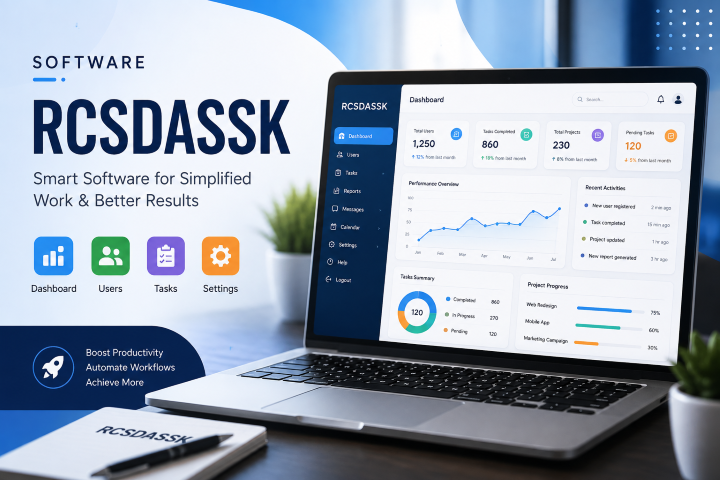
If you typed “software rcsdassk” into Google, you probably expected a quick, clear answer. Maybe you thought you’d land on an official website, see some screenshots, read a few reviews, and move on with your day.
Instead, you likely found a handful of blog posts that all sound a little… off. They use big words like “enterprise-grade,” “AI-driven,” and “next-gen automation,” but none of them link to an official homepage. None of them show a real screenshot. None of them name a real company behind the software. And strangely, they don’t even agree with each other on what Rcsdassk actually is.
This post is going to be different. Instead of making up confident claims about a product that may not exist, we’re going to walk through exactly what shows up when you search for this term, explain why that matters, and give you simple, practical advice for what to do next.
The Short Answer
Right now, there is no clear, verifiable, official software product called “Rcsdassk.” There’s no confirmed company behind it, no confirmed download page, no app store listing, and no independent news coverage. What exists instead is a group of blog posts, all written around the same odd keyword, each describing the “software” in slightly different (and sometimes contradictory) ways.
This is a pattern worth knowing about, because it happens more often than people realize.
Why Does This Term Even Show Up in Search Results?
Here’s how this usually happens, in simple terms.
Every day, search engines track millions of words and phrases people type in. Sometimes people start searching for a strange word or phrase like “rcsdassk”, even when no clear reason exists. They may have typed it by mistake, accepted an autocomplete suggestion, copied a random string, or noticed an early mention before anyone verified whether it was real.
Once a term starts showing up in search data, some websites notice the traffic opportunity. Instead of asking “is this real?”, they ask “how do I rank for this?” So they write an article. Then another site does the same thing, with a slightly different explanation. Before long, you have five or six pages all “explaining” a product, but none of them are actually reporting real facts — they’re guessing, copying each other, or filling in blanks with generic tech buzzwords.
This is sometimes called content farming or programmatic SEO. It’s a common practice where websites produce large volumes of articles around trending or unusual search terms, mainly to attract clicks and ad views, rather than to genuinely inform readers.
What Do the Existing Articles Actually Claim?
To be fair and transparent, here’s a simple summary of what’s currently being said about “Rcsdassk” across different sites. Keep in mind: none of this is independently confirmed.
Claim 1: It’s an enterprise business platform: Some articles describe it as software for large companies, meant to handle data, automate workflows, and connect with tools like CRM systems and cloud apps.
Claim 2: It’s for developers and tech enthusiasts: Other articles describe it as a tool for coding, debugging, and deployment. Aimed at software developers rather than business teams.
Claim 3: It’s a remote access and security tool: One site even offers a full acronym, claiming R-C-S-D-A-S-S-K stands for something like “Remote Control System for Data Automation, Security, and Software Kit.”
Claim 4: It’s just a general productivity tool: A few newer posts back away from specific claims entirely, describing it more loosely as “the type of software” businesses search for when they want better workflow management.
Notice something? These four descriptions don’t match. A tool can’t simultaneously be a large enterprise ERP replacement, a developer coding tool, a remote access security kit, and a vague productivity concept. Real products have one consistent identity. Multiple, conflicting definitions is one of the clearest signs that no one actually knows what this “software” is — including the people writing about it.
How to Spot This Pattern Yourself
You don’t need to be a tech expert to notice when something feels off. Here are simple, everyday checks anyone can do before trusting a software review, even if you’re in a hurry.
- Look for an official website: Real software almost always has one clear, official homepage. If every article links back to different blog sites instead of one clear source, be cautious.
- Check for a company name: Ask yourself: who makes this? A real product usually has a company name, a founder, or a support email you can verify.
- Search for reviews on trusted platforms: Sites like G2, Capterra, Trustpilot, or the Google Play Store and Apple App Store usually host reviews for real software. If a product has zero presence there, that’s worth noticing.
- Watch for vague, repeated buzzwords: Words like “next-gen,” “revolutionary,” “AI-powered,” and “game-changer” sound impressive but say very little. Real product pages usually explain specific features, specific pricing, and specific use cases.
- Compare multiple sources: If you read three articles about the same software and they describe three different things, that’s a strong signal something is wrong.
- Check the publishing pattern: Several very similar articles, published around the same time, on different small blogs, using the same keyword — that’s a common sign of coordinated SEO content rather than organic reporting.
Is This Dangerous, or Just Annoying?
Good question. Usually, this kind of thing is more annoying than dangerous — it wastes your time and clutters search results. But it can become risky in a few ways, so it’s worth being careful.
- Fake download risk: If a site eventually tries to get you to “download Rcsdassk now,” be extremely cautious. Downloading software from an unverified source is one of the most common ways people accidentally install malware, adware, or unwanted browser extensions.
- Fake urgency or fear tactics: Some low-quality tech sites pair vague product claims with scary warnings, like telling you your system is at risk unless you install something. Real software companies rarely operate this way.
- Wasted research time: Even in the best case, you may spend twenty minutes reading five different explanations, only to end up more confused than when you started. That’s the cost of low-quality, made-up content.
- Data or payment risk: If any site asks for payment information, a license key purchase, or personal details in exchange for “access” to this software, treat that as a major red flag.
The safest approach is simple: if you can’t verify a product through an official source, don’t install anything related to it, and don’t share personal or payment information.
What Should You Do if You Landed Here by Searching “Software Rcsdassk”?
Let’s make this practical. Here’s a simple step-by-step approach.
Step 1: Pause before downloading anything: If your goal was to download or install “Rcsdassk,” stop for now. There’s currently no verified official source to do that safely.
Step 2: Think about where you first heard the term: Did you see it in an email, a pop-up, a forum, a coworker’s message, or a random ad? That context matters a lot. If it came from an email or download prompt, it’s worth being extra cautious, since that’s a common pattern in low-quality or misleading software promotions.
Step 3: Search for the real problem you’re trying to solve: In most cases, people search unclear product names like this because they’re actually trying to solve a specific problem — automating tasks, managing projects, organizing files, or improving security. Instead of chasing the name, search for the actual need: for example, “best workflow automation tools” or “best free project management software.” You’ll get real, reviewable results.
Step 4: Stick to well-known categories and brands: If you’re looking for workflow automation, well-documented options include tools built by established companies with public pricing, real support teams, and large user bases. These are far safer starting points than an unverified name with no clear origin.
Step 5: If your workplace mentioned this tool, ask directly: If you heard about “Rcsdassk” from a coworker, manager, or internal system, don’t guess — ask your IT or software team directly what it refers to. It’s very possible it’s an internal codename, a typo, or a tool specific to your organization, not something you’ll find publicly.
A Simple Way to Think About Software Research in General
This situation is actually a helpful reminder for anyone evaluating new software, not just this one term. Before trusting any tool with your time, data, or money, it helps to ask a few basic questions.
Does the software have one clear, consistent description across multiple trustworthy sources? Can you find its official website and confirm who built it? Are there real, dated user reviews on independent platforms? Is pricing information clear and specific, rather than hidden or vague? Does the company have a visible support channel, like an email address or help center?
If the answer to most of these is “no,” it’s reasonable to treat the software with caution, regardless of how confident the marketing language sounds.
Why We Chose Honesty Over Guesswork
It would have been easy to write this article the same way many others have — inventing a feature list, describing fake integrations, and confidently explaining “benefits” of something that can’t be verified. That approach gets clicks, but it doesn’t actually help you.
Instead, this guide aimed to do three honest things: explain exactly what shows up when you search this term, explain why that pattern happens, and give you real, usable steps to protect your time and your data. That’s a more useful outcome than a confident-sounding description of a product that may not exist in any verifiable form.
A Closer Look: How Search Engines Handle Unclear Terms
It helps to understand a little about how search engines work, because it explains why a term like this can climb the rankings even without a real product behind it.
Search engines are built to match what people type with the most relevant, most useful content available. But “most relevant” doesn’t always mean “most accurate.” If very few websites have written about a term, the search engine has a small pool to choose from. Whatever content exists — even if it’s thin, repetitive, or written quickly to capture traffic — can end up ranking near the top simply because there’s little competition.
This is different from searching something like “best laptop for students,” where thousands of well-researched, fact-checked articles compete for attention. For a rare or unclear term, a handful of quickly written posts can dominate the first page, even if none of them did real research.
Over time, search engines have gotten better at filtering out low-quality or spun content, but gaps like this still show up, especially with new or unusual keywords. It’s a good reminder that ranking high in search results is not the same as being accurate or trustworthy.
Common Signs of “Programmatic” or Mass-Produced Content
Since this pattern shows up far beyond just this one keyword, it’s worth learning to recognize it in general. Here are common traits of mass-produced or low-effort SEO content, explained simply.
- Similar structure across different sites: Notice if multiple articles follow the exact same outline: an introduction, a “what is it” section, a features list, a benefits list, and a conclusion — almost like a template was filled in with a different keyword each time.
- Generic praise without specifics: Phrases like “boosts productivity,” “streamlines operations,” or “enhances collaboration” sound nice but don’t tell you anything concrete. Real, specific software reviews usually mention exact features, exact screenshots, or exact numbers.
- No dates, no version numbers, no changelogs: Real software usually has a version history, release notes, or update logs somewhere. If none of that exists anywhere online, that’s worth noticing.
- Author names are missing or generic: Trustworthy tech journalism usually credits a real author with a bio and other published work. Content built purely to capture search traffic often skips this, or uses vague staff bylines.
- Internal links to unrelated topics: Sometimes these articles link out to other unrelated guides on the same site, mainly to keep you browsing longer, rather than because the topics are genuinely connected.
None of these signs alone proves something is fake, but when several of them show up together, it’s a strong hint to slow down and verify before trusting the content.
What Legitimate Workflow and Automation Software Usually Looks Like
Since many of the articles about this keyword describe it as workflow, automation, or productivity software, it’s worth understanding what real tools in that category typically offer. This gives you a helpful comparison point.
- Clear, specific feature lists: Real productivity and automation platforms explain exactly what they do — task assignments, calendar syncing, automated reminders, file storage, reporting dashboards, and so on — with screenshots and demos to back it up.
- Transparent pricing: Legitimate software usually publishes clear pricing tiers, free trial details, or at least a way to request a quote. Vague or hidden pricing is a common warning sign.
- A visible support system: You should be able to find a help center, documentation, or a support email. If a tool has no way to contact the people behind it, that’s unusual for anything meant for business use.
- A track record: Established productivity tools usually have case studies, customer testimonials with real names or companies, and a history of updates over time.
- Security and compliance information: Especially for anything handling business data, legitimate platforms usually explain their data protection practices, certifications, or compliance standards clearly.
If you compare these expectations to what’s currently available about “Rcsdassk,” the gap becomes pretty clear. There’s no pricing page, no support contact, no case studies, and no security documentation anywhere consistent across sources.
A Note for Business Owners and IT Teams
If you’re researching this term because it came up at work — maybe in a vendor pitch, a random email, or a suggestion from a colleague — it’s worth treating it the same way you’d treat any unfamiliar software request.
Ask for a direct link to the vendor’s official website. Ask for a company registration name, not just a product name. And Ask whether the software has been reviewed by your IT or security team before anyone installs it on a work device. And most importantly, avoid entering company data, credentials, or payment details into any platform that can’t be clearly verified.
This approach isn’t about being overly suspicious. It’s simply good, standard practice for adopting any new software, especially in a business environment where a bad decision can affect more than just one person.
A Quick Checklist Before You Trust Any New Software Name
To wrap things up, here’s a short, simple checklist you can reuse anytime you come across an unfamiliar software name — not just this one. Keeping this in mind can save you time, protect your data, and help you avoid low-quality or misleading content in the future.
Look for one official website, not several unrelated blog posts. Confirm there’s a real company or developer name attached. Check for reviews on independent, trusted platforms. Read the pricing page and make sure it’s specific, not vague. Look for a support contact, like an email address or help center. Compare descriptions across a few sources and see if they actually agree. Avoid downloading anything if you can’t confirm these basics.
If a software name passes most of these checks, it’s reasonable to explore further. If it fails most of them — like “Rcsdassk” currently does — it’s best to treat it as unverified and move on to a tool you can actually trust.
Final Thoughts
Searching for software rcsdassk is completely reasonable — plenty of people land on unclear search terms every day and just want a straight answer. The honest straight answer here is simple: as of now, this isn’t a verified, well-documented software product, and the content describing it online is inconsistent, vague, and not tied to any confirmed company.
The best move is to stay cautious, avoid downloading anything connected to the name, and instead search directly for the type of tool you actually need. That way, you spend your time on software you can actually trust, verify, and use with confidence.
Frequently Asked Questions
Is Rcsdassk a virus? There’s no confirmed evidence that it’s malware, but there’s also no confirmed evidence it’s a real, safe software product. The honest answer is: it’s currently unverified. Until there’s a clear official source, avoid downloading anything tied to this name.
Why do multiple websites have different definitions for the same software? This usually happens when content is written to target a trending search term rather than to report real, confirmed facts. Each writer fills in the gaps differently, which is why the explanations don’t match.
Should I trust a site that gives a very specific “meaning” for the acronym? Be cautious. A confident-sounding acronym can feel convincing, but confidence isn’t the same as proof. Look for outside confirmation — like a company website, press coverage, or verified reviews — before trusting it.
What should I search for instead? Search based on what you actually want the software to do, such as “workflow automation software,” “project management tools,” or “data security software,” rather than an unverified product name.
Will this article be updated if real information appears? If a verified, official source for this software becomes available in the future — such as a confirmed company website or documented release — that information can be added. Until then, the safest approach is caution, not assumption.
Is it possible “Rcsdassk” is just a random string with no meaning at all? Yes, and this is actually a common explanation for terms like this. Software testing tools, bots, and misconfigured systems sometimes create random strings, and auto-generated content can also produce them across the internet.